Keka PSA tracked every billable hour a services team worked. Then, at month-end, those same teams left the product and rebuilt their invoices by hand in Excel, Zoho, or Word. We designed billing into the platform around one idea: if the work is already tracked, an invoice shouldn't be a document you make. It should be a number you approve.
RoleProduct designer
TeamOne project manager · engineering squad
Timeline3 weeks, research to ship
ScopeResearch, IA, interaction, UAT
8:00 → 5:30Active time to produce one invoice (−31%)
+19Plan upgrades to PSA-inclusive plans, first 90 days
3 → 1Tools between doing the work and billing it
timed task runs · 6 finance users · same retainer scenario, before vs after
Work shown under NDA. Screens are simplified and representative.
30-second version
Finance teams were re-typing numbers Keka already had. We made the system generate billing line items (charges) directly from tracked work, so an invoice opens pre-filled and finance just reviews and sends. Invoice time dropped 31%. The month-end "is this billable?" back-and-forth disappeared. And every number on the invoice can be traced back to the work that produced it.
Section 1 · The problem
Eight minutes, three people, three tools. One invoice.
Here's what month-end billing actually looked like, reconstructed from watching finance teams do it. One retainer client, one invoice:
01Finance opens the project in Keka and reads the approved hours off the screen.0:30
02Finance re-types everything into Excel. Hours, rates, line items, taxes.every keystroke is a chance for the number to stop matching reality3:00
03Finance pings the project manager: "The extra 6 hours on this retainer, billable or not?"the invoice is now stuck waiting on a chat messagewait
04The project manager digs through memory and old threads to reconstruct the answer, and replies.hours later
05Finance adjusts the spreadsheet to match the answer.2:00
06Finance formats the final invoice in a third tool, usually Zoho Invoice or a Word template, because every client expects a different format.1:30
07Send. Keka never finds out what was actually billed.the link between the work and the money is gone0:00
And the product that had captured every one of those hours contributed nothing after step 1.
Why this was worth building. These are sizing arguments, not measured outcomes. They're the numbers that made the case for build time:
The cost
Why it mattered
The re-typing tax
~8 minutes of manual assembly per invoice, every cycle, forever.
Revenue leakage
Industry research puts services revenue leakage at 4 to 5%; firms typically invoice only 90 to 95% of the hours they deliver. The gap between "work done" and "invoice sent" is exactly where it leaks.
The dispute clock
An invoice that can't show where its numbers came from invites requests for backup documentation, and every one of those resets the payment clock.
Lost upgrades
"We invoice somewhere else" kept surfacing as an upgrade objection in both sales calls and CS tickets. Every one of them was business Keka was handing to competitors.
The brief we aligned on with our project manager: the hours are already in the system, so billing should be a consequence of the work, not a second job after it.
Section 2 · Three questions before designing
Three questions before designing anything.
The lazy brief was "Keka needs invoicing." Before designing, we needed answers to three questions, and each one changed the project.
Q1
Is this a creation problem or a trust problem?
We ran customer calls with finance users and project managers, 12 calls across 8 companies, walking through their real billing cycles end to end. Nobody complained about making invoices. Excel makes invoices fine. They complained about proving the number and re-typing the number. The invoice was the easy part; everything around it was the actual work.
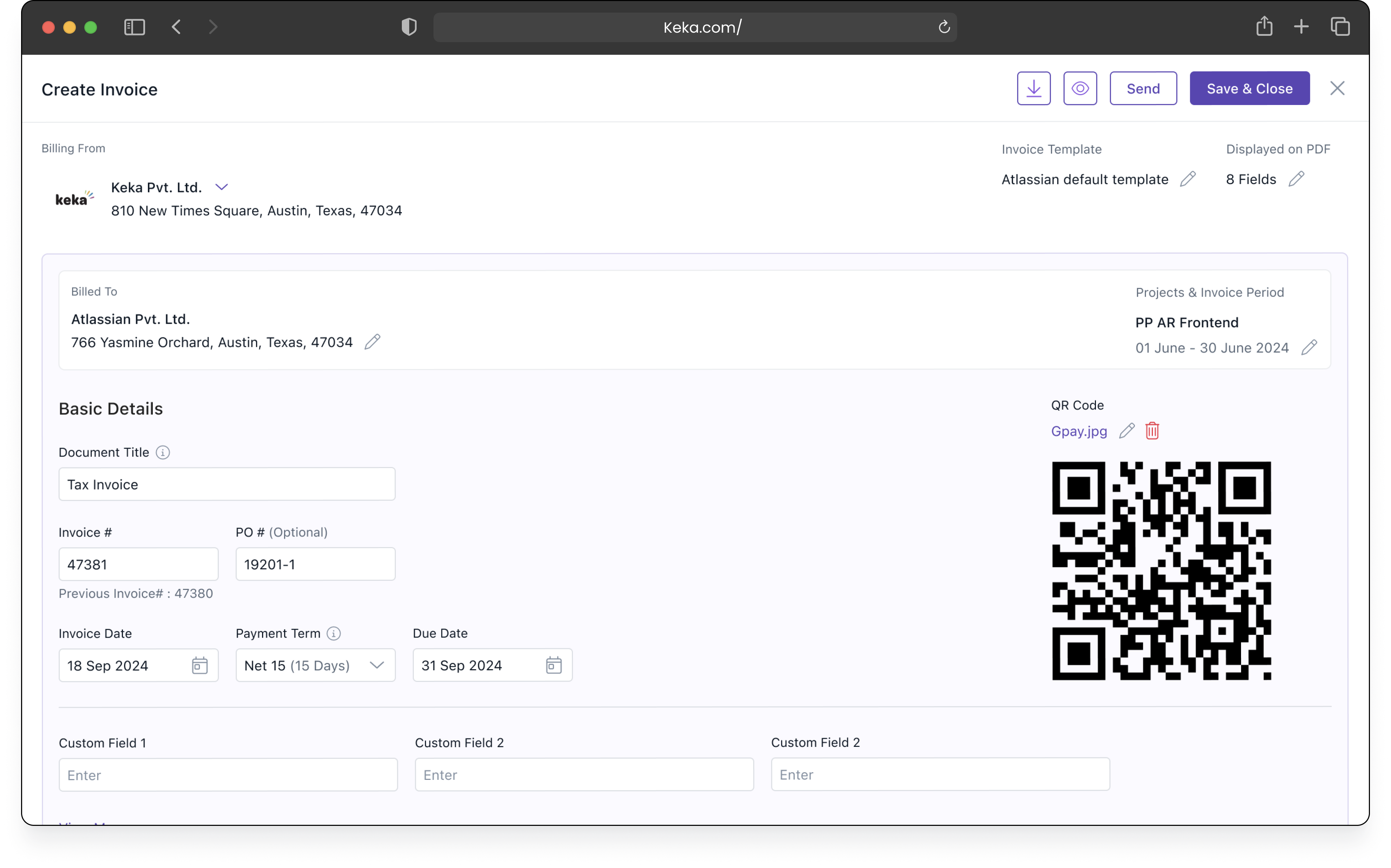
The calls also surfaced something we hadn't gone looking for: Keka users bill their clients in wildly different invoice templates. Formats varied by client, by contract, sometimes by the client's own procurement rules. Any solution that forced a single layout was dead on arrival.
Decision: don't design the document. Design where its numbers come from.
12 calls · 8 companies
Q2
Whose job is an invoice?
Journey mapping surfaced an awkward truth: two people share one artifact. The project manager knows what's billable but doesn't own the money. Finance owns the money but doesn't know the work. The slowest, most error-prone step in every billing cycle was the hand-off between them. That month-end "is this billable?" ping.
Decision: kill the ping. Billability gets decided upstream, by the person who knows, at the moment the work happens.
2 actors · 1 artifact · 1 broken hand-off
Q3
Where does Keka stop?
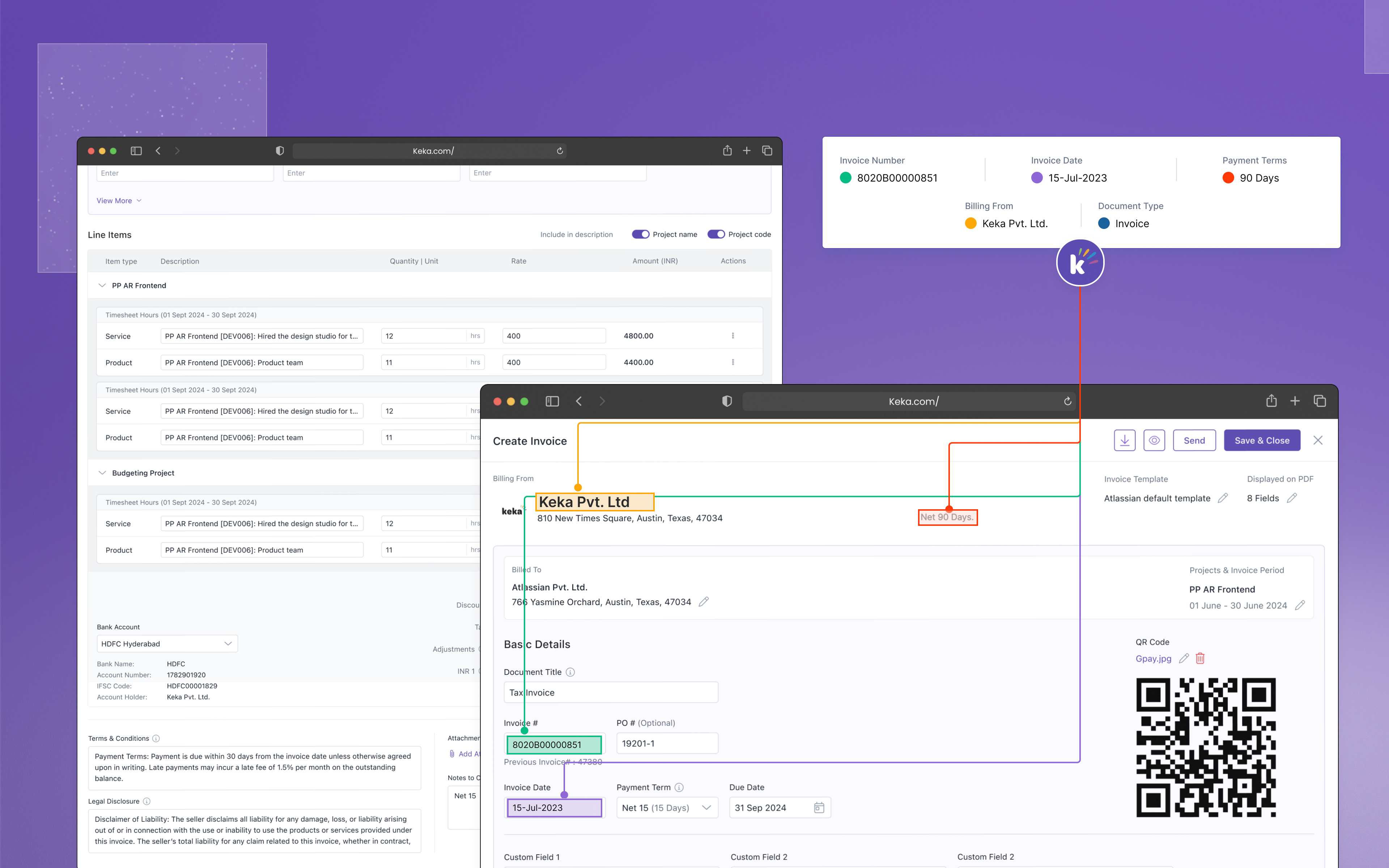
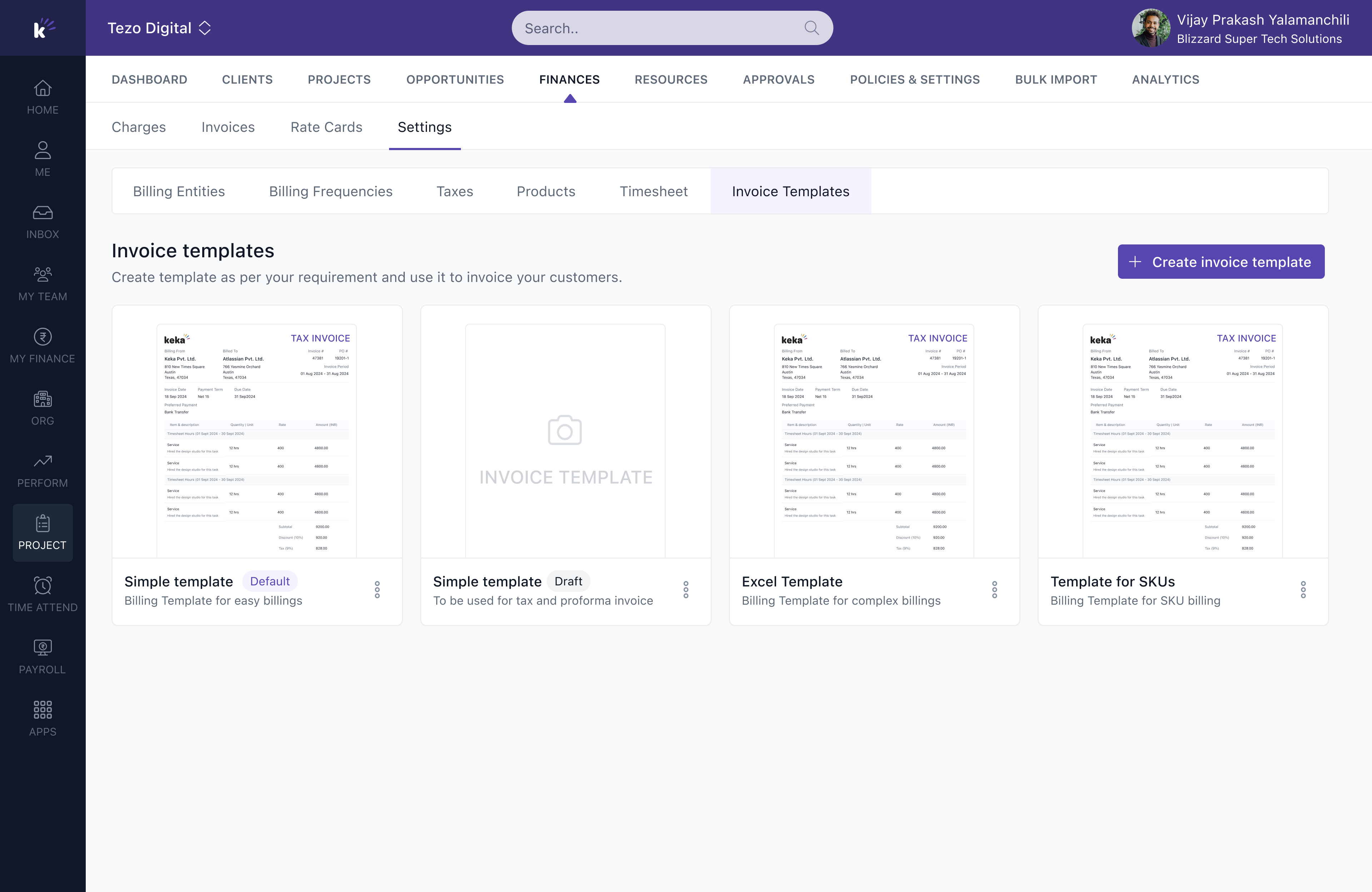
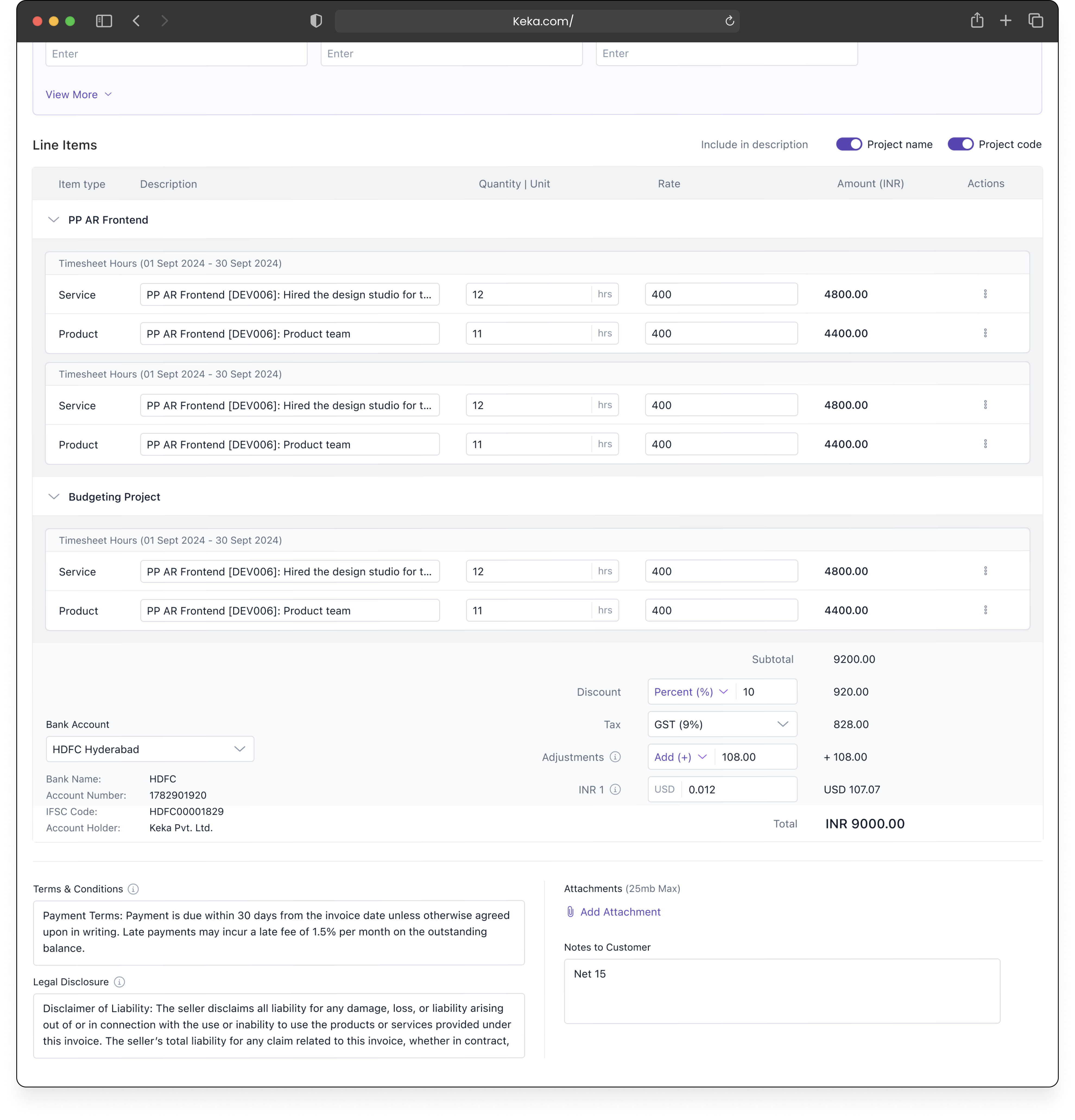
We reused a template builder that already existed in another Keka module, which cut the build time dramatically, and shipped 3 to 4 default templates covering the most common client formats. The invoice itself opens pre-filled: charges in, totals computed, terms from the template. The path is confirm → adjust edge cases → send. Overrides, discounts, and manual line items exist, but behind progressive controls. Less impressive in a demo. It's where the entire 31% comes from.
4 contract shapes · 0 accounting features
The invoice takes five minutes. Proving the numbers on it takes the rest of my day.
Finance lead, IT services firm · customer call
Section 3 · What we built
Everything hangs off the charge.
WORK→CHARGE→INVOICE→[ PAID? ]
Work → Charge · the core idea
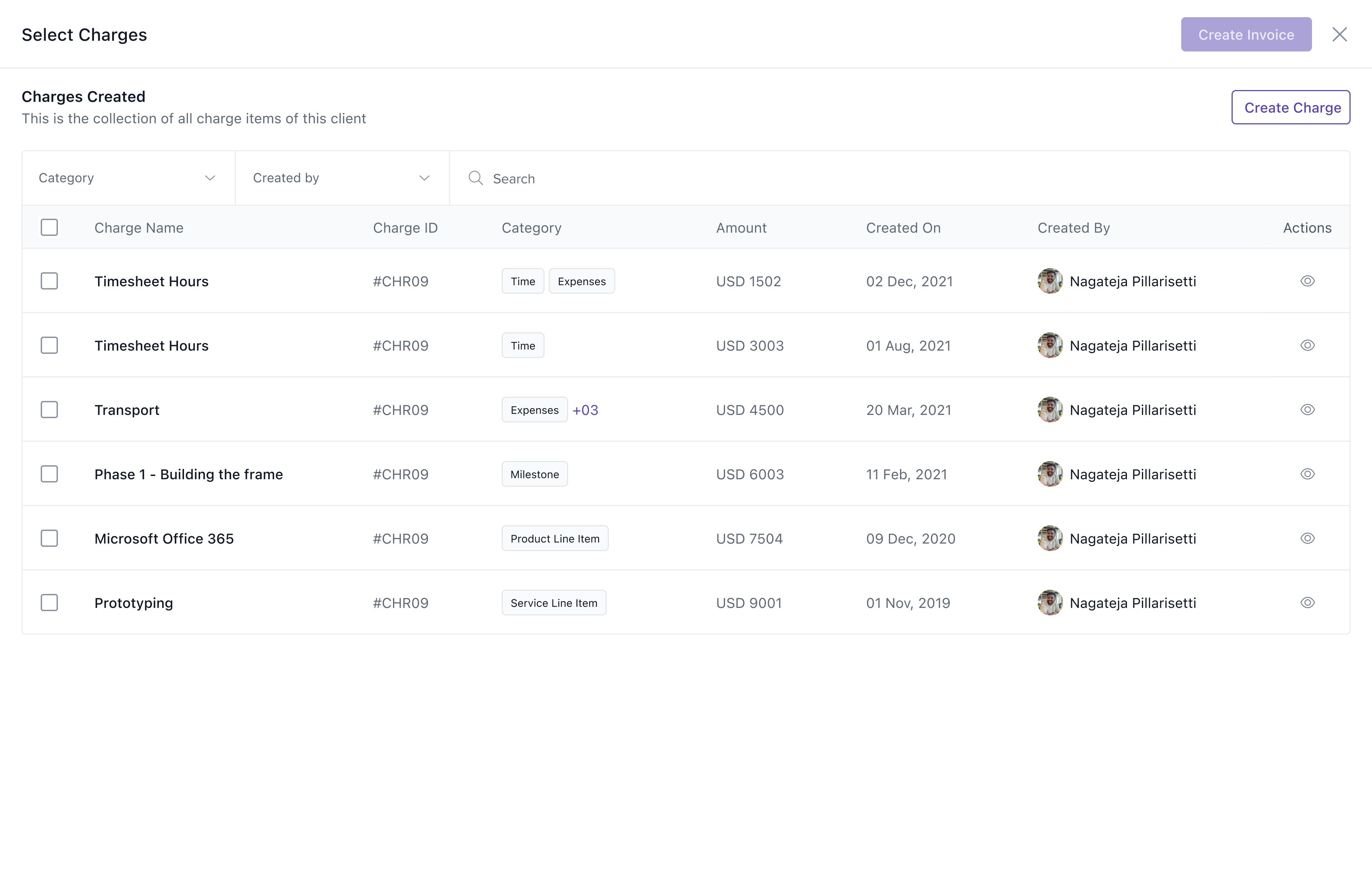
The system derives charges: billable line items generated automatically from tracked time, completed milestones, and project rates. Users never create billing data. They approve billing data the work already produced.
This one inversion answers all three research questions at once. Nothing gets re-typed, so the number stays true (Q1). The project manager marks billability on the charge, upstream, when the work happens, so there's no month-end ping (Q2). And every number on the invoice traces back to its source, which is the whole point (Q3).
Charges are also source-agnostic. An hourly charge comes from time × rate. A milestone charge comes from completion. A retainer charge comes from a schedule. The invoice layer doesn't know or care where a charge came from, which is how one flow handles all four contract types without four separate screens.
the invoice is the output. The charge is the design surface
Charge → Invoice · three directions, one shipped
We considered three directions.
Rejected
A blank-canvas invoice builder
Maximum flexibility, and it recreates the exact disease we're curing: a human assembling numbers by hand, just inside Keka instead of Excel. Familiar, impressive in a demo, wrong.
Rejected
A library of 10 to 15 templates
Users could pick a template and tweak it per client. This honored the template diversity we found in research, but it needed more engineering bandwidth than we had inside a 3-week window. Right idea, wrong quarter.
Shipped
A review flow on borrowed rails
We reused a template builder that already existed in another Keka module, which cut build time dramatically, and shipped 3 to 4 default templates covering the most common client formats. The invoice opens pre-filled: charges in, totals computed, terms from the template. The path is confirm → adjust edge cases → send. Overrides, discounts, and manual line items exist, but behind progressive controls. Less impressive in a demo. It's where the entire 31% comes from.
Edits that don't break the promise. Our first draft let users edit charge amounts directly on the invoice, disconnected from the charge underneath. Convenient. It also quietly broke the one promise the design makes: that the invoice faithfully reflects tracked work. UAT users caught it immediately (5 of 7 participants), and it made their "is this number right?" anxiety worse, not better.
If I change it here, is the timesheet still right?
UAT participant, on the disconnected edit
The fix wasn't removing the edit. It was reconnecting it. In the shipped version, edits can happen on the invoicing tab too, but they write back to the underlying charge. Change the number in either place and both stay in sync, so every figure on the invoice remains traceable to real work. Traceability was the feature. We almost designed it away, and it was users, not us, who protected it.
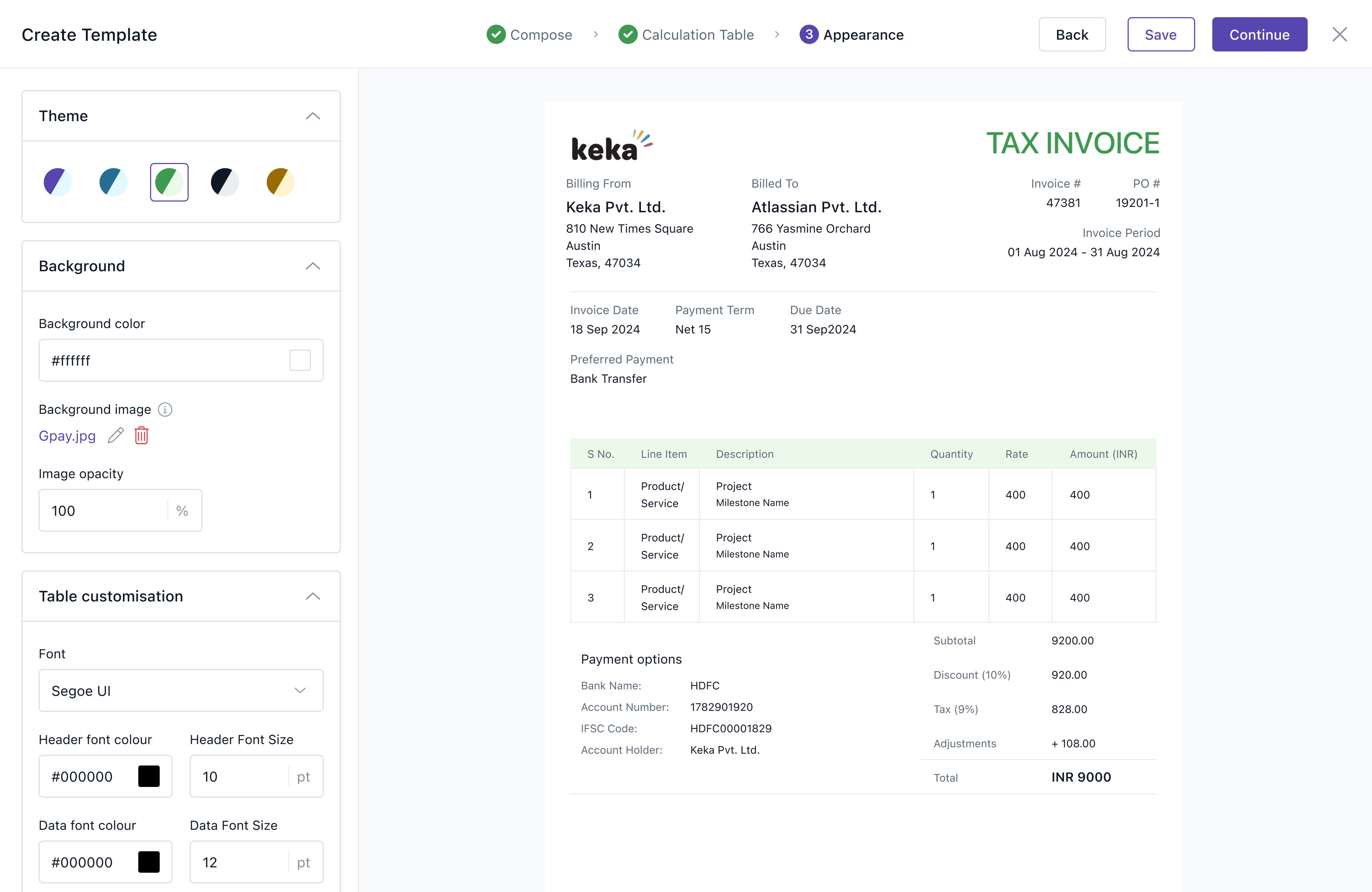
What usability testing told us next. Testing with real users validated the pre-filled flow, and it also showed us where v1 was too rigid. Participants wanted more flexibility on the invoice itself: the ability to create and save custom templates beyond the default set, and additional columns in the line-item table (PO numbers and project codes came up repeatedly). We shipped custom template creation in response. The additional columns went onto the v2 list, and both requests confirmed that the rejected template-library direction was the right long-term bet.
At [ PAID? ]
This stage did ship, but thin. Invoices go directly to the customer from Keka, and users can mark an invoice as paid. The catch: "paid" is a manual input. When the money actually lands, someone has to come back and record it by hand. Every other number in the pipeline is derived from the work; this one runs on memory. Section 5 explains what that cost.
Section 4 · What changed
Month-end, before and after.
Line item
Before
After
Δ
Active time per invoice
8:00
5:30
−31% (timed UAT task runs, n=6)
Tools between work and invoice
3
1
−2
"Is this billable?" pings
every cycle
decided at the charge
eliminated
Where the number comes from
memory + re-typing
traced to logged work
provable
Plan upgrades
n/a
+19
first 90 days after launch
Two shifts outlived the release.
Sales got its answer. "Can we bill from Keka?" flipped from a standing objection into a selling point. As one account executive put it after launch: billing used to be the last objection on every demo, and now it's a slide the team leads with.
The charge became a primitive. Billing data now exists as structured, traceable objects instead of rows in someone's spreadsheet, so later features build on charges instead of parsing invoices. Project profitability and utilization reporting were the first to read charges directly.
Section 5 · What we'd do differently
The one number that ran on memory.
INVOICE→[ PAID? ]
The one stage we left to memory.
1 · We automated every number except the last one. Our own brief said billing should be a consequence of the work, and we delivered that all the way to the sent invoice: users could send directly to the customer and mark an invoice as paid. But "paid" was a manual input. If the customer paid, someone had to notice, come back, and record it by hand. Users kept walking into the same wall: "So I still have to check the bank and update this myself?" Six of seven UAT participants asked some version of that question, and v1's honest answer was yes. Run it again, we'd map the full get-paid loop (payment status that updates itself, reminders, partial payments, credit notes) before drawing the v1 line, even if v1 still shipped exactly this thin. The charges model was right. The one number we left to memory was the one the whole pipeline exists to confirm.
2 · The research budget was misallocated. Competitor teardowns earned their keep on exactly one question (the scope line) and almost nowhere else. Competitor screens tell you where a market stops. They don't tell you what a finance team dreads on the 30th. The best material came from the customer calls and from watching real billing cycles, and we'd rebalance hard toward that: fewer teardowns, one full month-end close observed live.
3 · What we kept. The inversion (design where the number comes from, not the screen it lands on) became a pattern we've carried into every workflow problem since. And the edit we reconnected taught us the less comfortable version of user-centered design: sometimes testing doesn't refine your idea. It defends your principle against your own convenience.